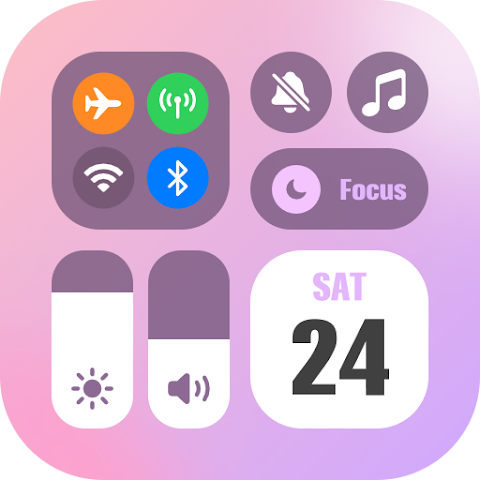
Let’s be honest: after a few months, the default look of your Android phone can get boring. The same icons, the same quick settings panel, the same lock screen. That’s where customization apps like iControl: Easy Widgets Themes come in. With over 10 million downloads and a solid 4.6-star rating from more than 55,000 reviews, this app promises to turn your device into a “creative canvas.” But does it deliver, or is it just another ad-filled disappointment? I spent time digging into its features, user feedback, and privacy practices to help you decide.
What Exactly Is iControl? More Than Just Wallpapers
Unlike basic wallpaper apps, iControl focuses on three main areas of your phone’s interface: the control center (the quick settings panel you swipe down), charging lock screens (animated wallpapers that activate when you plug in), and widgets (info cards you place on your home screen). The idea is to let you coordinate all these elements into a cohesive theme—minimalist, aesthetic, cyberpunk, or whatever style you prefer. According to the app’s description, you don’t need any design skills. Everything works through pre-made templates that you can tweak and apply with one tap.
Key Features That Stand Out
The app packs a surprising number of tools into a single download. Here are the highlights based on the official feature list:
- Over 8,000 control center themes – Change the look of your Wi-Fi, Bluetooth, brightness slider, and toggles (like flashlight and airplane mode).
- Charging wallpapers – Animated lock screens that appear when you connect your charger, with customizable backgrounds, fonts, and effects.
- Live widgets – Add functional or decorative widgets to your home screen that match your chosen theme.
- One-tap apply – No complex setup; most themes activate immediately.
- Support for 150+ languages – Truly global, including English, Spanish, Arabic, Vietnamese, and many more.
The control center customizations are particularly clever. Instead of just changing a wallpaper, iControl replaces the entire quick settings panel with new icons, layouts, and even extra controls like screen recording or a music player.
The DIY Promise: Zero Skills Required
One of the app’s biggest selling points is its “zero-based DIY” approach. You are not locked into preset themes. You can rearrange toggles, add or remove widgets, and change the order of your control center. The app claims to unlock “unlimited desktop and lock screen customization options,” which sounds like hyperbole, but based on user screenshots online, the variety is genuinely wide. For example, you can create a pastel aesthetic theme with matching widgets, or a dark neon gaming theme with a charging animation that looks like a sci-fi reactor. It is essentially a design toolkit wrapped in a theme store.
What Real Users Are Saying (The Good and The Bad)
With a 4.6-star average, most users seem happy, but the negative reviews are worth noting. Positive feedback often praises the sheer variety of themes and how easy they are to apply. However, complaints focus on two things: ads and bugs. Several reviewers report that you have to watch advertisements frequently to unlock themes or continue using features. Others mention bugs that force the app to crash or themes that do not apply correctly. So while the core functionality works, your experience may be interrupted by constant ad promotions, and some older versions might have glitches. If you have low patience for pop-ups, this could be a dealbreaker.
Privacy and Permissions: What You Need to Know
iControl requires some sensitive permissions to do its job. Specifically, it uses accessibility service to display the custom control center over other apps. The developer states that this is only used for features like music and volume controls, and that they do not collect or store any information related to the accessibility service. That is reassuring. However, the app’s data safety section shows it shares app activity and device IDs with third parties. Also, while data is encrypted in transit, the policy notes that data cannot be deleted upon request. If you are privacy-conscious, this is a red flag. The app does claim it never collects personal information or your photos, but the permanent data collection on device IDs is something to be aware of before installing.
How It Compares to Other Customization Apps
If you have used apps like Widgetsmith (popular on iOS) or KWGT Kustom Widget Maker, iControl is much simpler. KWGT is incredibly powerful but has a steep learning curve. iControl is closer to ThemeX or iTheme: it is for people who want instant results without scripting or editing code. The trade-off is less granular control. You cannot build a widget from scratch—you are mixing and matching existing pieces. For 80% of users who just want their phone to look cool in five minutes, that is fine. For hardcore customizers, you might feel limited. Think of iControl as a fast-food version of phone theming: quick, tasty, but not gourmet.
Final Verdict: Great for Quick Style, Frustrating for Patience
iControl: Easy Widgets Themes does exactly what it promises: it gives you thousands of ways to reskin your Android’s control center and lock screen. The designs are modern, the one-tap apply works, and the charging wallpapers are genuinely fun. However, the ad frequency and occasional bugs mentioned by multiple reviewers can ruin the flow. If you do not mind watching a video ad to unlock a theme, or if you pay for an ad-free version (if offered), you will probably enjoy it. But if intrusive ads and small glitches drive you crazy, look for a paid customization app instead.
Pro tip: Install iControl, but immediately check its settings to see if you can reduce ad frequency or purchase a premium upgrade. Also, grant the accessibility permission only for the features you actually use—you can revoke it anytime in your Android settings. This way, you get the visual upgrade without unnecessary background access.